Debossed Building Wall Logo Mockup Guide
Presenting your brand identity in a realistic environment is often the difference between a client saying "maybe" and signing the contract. A flat JPEG on a white background rarely conveys the tactile weight or architectural presence of a physical sign. This is where the Debossed Building Wall Logo Mockup becomes an indispensable tool for modern creatives. It bridges the gap between digital design and physical reality, allowing you to showcase how a logo interacts with light, shadow, and texture.
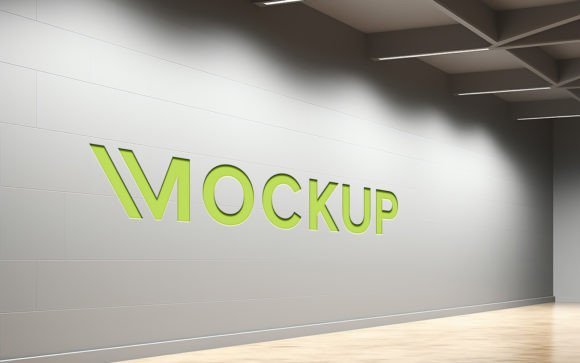
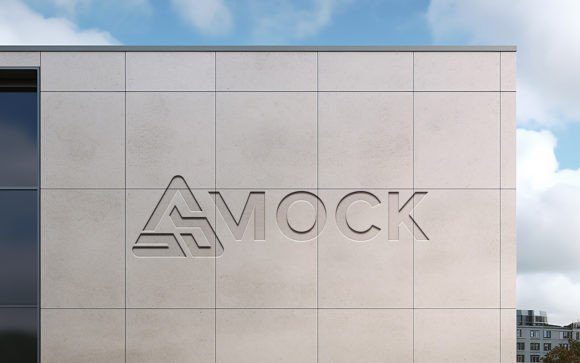
Unlike standard overlays that simply sit on top of an image, this mockup utilizes advanced smart object technology to simulate depth. The term "debossed" refers to the technique of pressing a design into a surface, creating a recessed effect. In this digital asset, that effect is rendered with high-fidelity 3D realism. When you place your logo into the designated smart object, the software automatically calculates the correct shadows and highlights based on the virtual light source. The result is a convincing illusion that your design has been physically carved or pressed into the building’s facade.
Visual Impact and Brand Perception
The primary strength of this mockup lies in its ability to convey permanence and quality. In brand identity development, perception is everything. A logo that appears to be integrated into the architecture of a building suggests stability, establishment, and attention to detail. This is particularly effective for businesses in real estate, law, finance, or high-end retail, where trust and longevity are key selling points.
Visually, the mockup features a clean, modern aesthetic. The wall texture is subtle enough not to distract from the logo but detailed enough to provide context. The lighting is soft yet directional, creating natural gradients that enhance the three-dimensional feel. This level of detail helps stakeholders visualize the final product without the need for expensive physical prototypes. It transforms a simple logo design into a tangible asset that feels ready for installation.
For designers, this tool eliminates the guesswork involved in manual shadow creation. Manually painting shadows to match a specific light angle is time-consuming and often looks artificial if not executed perfectly. With this design asset, the heavy lifting is done for you. The automatic adjustment ensures that whether your logo is complex or minimal, it adheres to the physics of the scene. This consistency is crucial when presenting multiple concepts to a client, as it ensures each option is judged on its merit rather than the quality of the presentation.
Versatility Across Creative Projects
While the name suggests a focus on architectural signage, the applications for this mockup extend far beyond exterior building signs. Its versatility makes it suitable for a wide range of creative font and graphic presentations. Here is how different professionals can leverage this tool:
- Brand Strategists: Use it to demonstrate how a new typeface or logo mark will look in situ. It helps clients understand scale and proportion in a real-world context.
- Social Media Managers: High-quality visuals perform better on platforms like Instagram and LinkedIn. A realistic mockup stops the scroll by offering a sense of depth and professionalism that flat graphics lack.
- Packaging Designers: While primarily for walls, the debossed effect can inspire similar treatments in packaging design. Seeing the logo recessed can help in deciding whether to use embossing or debossing on physical boxes.
- Web Designers: Incorporating realistic textures into web design headers or case studies adds sophistication. This mockup provides a high-resolution source image that can be cropped and optimized for digital use.
The mockup is also invaluable for testing font pairing and hierarchy. By placing your text into the debossed area, you can see how different weights and styles interact with the shadow. A thin sans serif font might disappear if the debossing is too shallow, while a bold serif font might cast harsh shadows that clutter the design. This immediate visual feedback allows for rapid iteration and refinement.
Practical Workflow and Technical Ease
One of the most significant barriers to using high-end mockups is the technical skill required. Many designers avoid them because they fear complex layer structures or confusing instructions. The Debossed Building Wall Logo Mockup is designed with accessibility in mind. It requires no advanced Photoshop skills, making it ideal for hobbyists, small business owners, and junior designers.
The file is fully layered and well-organized. All elements are grouped into logical folders, ensuring that you never have to hunt for the right layer. The core functionality relies on a single smart object. To use it, you simply double-click the smart object thumbnail, paste your logo or text, save, and close. The main document updates instantly. This seamless workflow means you can test dozens of variations in minutes.
Technical specifications are optimized for professional output. The file is provided at 300 DPI, which is the standard for high-quality printing. Whether you are creating a large format poster for a conference or a high-resolution PDF for a client pitch, the image will remain crisp and clear. The inclusion of both PSD and JPG formats offers flexibility. The PSD allows for full customization, while the JPG serves as a quick reference or placeholder.
When evaluating this tool for your toolkit, consider the following practical steps:
- Check Compatibility: Ensure your version of Photoshop supports smart objects. Most modern versions do, but it is worth verifying if you are using older software.
- Test Contrast: Before finalizing, check how your logo color contrasts with the wall tone. Dark logos on dark walls may lose definition, even with shadows. Adjust brightness or add a subtle outline if necessary.
- Review Licensing: Always confirm the commercial license terms. This mockup is designed for commercial use, allowing you to include the final rendered images in client projects and portfolios without additional fees.
- Experiment with Textures: While the wall is fixed, you can experiment with different logo materials. Try metallic finishes or matte colors to see how they react to the simulated lighting.
In conclusion, the Debossed Building Wall Logo Mockup is more than just a pretty picture. It is a strategic tool that enhances communication between designers and clients. By providing a realistic preview of how a brand will exist in the physical world, it builds confidence and accelerates approval processes. For anyone involved in editorial design, marketing, or brand development, having a reliable, easy-to-use mockup like this is essential for maintaining a professional edge in a competitive market.