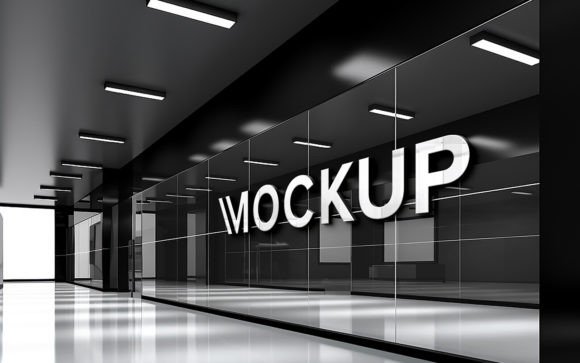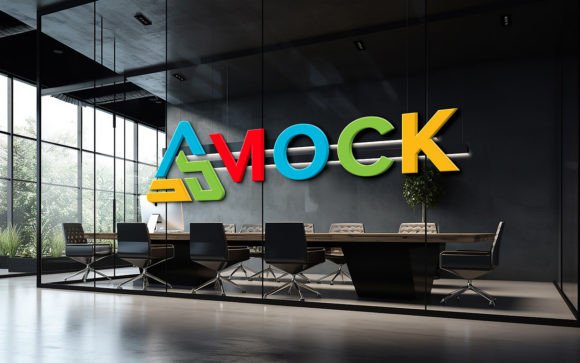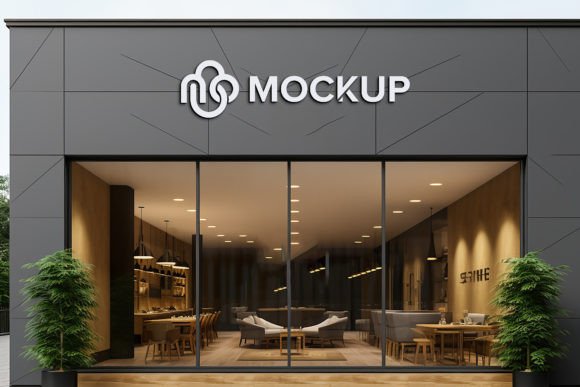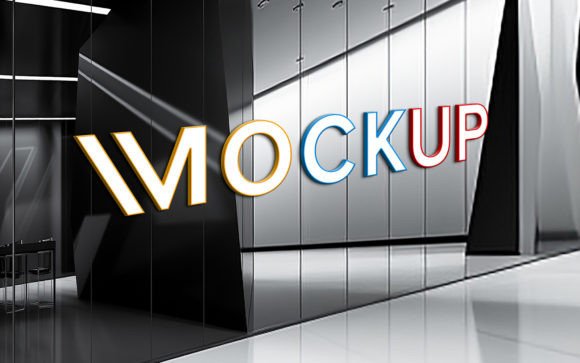
Glass Wall Logo Mockup PSD Guide
Visualizing a brand in the physical world is often the hardest part of the design process. You spend hours perfecting vector curves and selecting color palettes, but seeing those elements flat on a screen rarely conveys the final impact. This is where a Glass Wall Logo Mockup PSD becomes an essential tool for modern creatives. It bridges the gap between digital concepts and tangible reality, allowing you to present your work with a level of professionalism that static images simply cannot match.
These mockups are designed to be intuitive. By utilizing smart object technology, you can insert your own logo, design, or text with minimal effort. The software automatically calculates shadows, reflections, and lighting conditions, ensuring your design looks like it was genuinely printed or etched onto the glass surface. For anyone involved in branding, from freelancers to agency owners, this efficiency transforms how client presentations are handled.
Why Realism Matters in Brand Presentation
The primary value of a high-quality mockup lies in its ability to create trust. When a client sees their logo floating in white space, they are judging the graphic design. When they see it applied to a sleek, modern glass wall with realistic light refractions and subtle imperfections, they are visualizing their business. This psychological shift is crucial for approval rates.
A Glass Wall Logo Mockup PSD offers a specific aesthetic: clean, corporate, and contemporary. Glass suggests transparency and innovation, making it an ideal backdrop for tech startups, architectural firms, and modern retail brands. The 300 DPI resolution ensures that whether the image is viewed on a high-retina monitor or printed in a pitch deck, the clarity remains sharp. This attention to detail signals to the viewer that the designer cares about quality, which indirectly reflects on the brand being presented.
Tailored Benefits for Different Creators
While the tool is the same, the way different professionals utilize a Glass Wall Logo Mockup PSD varies significantly based on their goals and skill levels.
For Beginners and Students
If you are new to Photoshop, the learning curve can be steep. However, this type of mockup is designed to remove technical barriers. The "no skill requirement" aspect is not just marketing hype; it is a functional reality. Because the file uses smart objects, you do not need to understand complex layer masking, perspective warping, or lighting adjustments. You simply double-click the smart object layer, paste your logo, save, and the main file updates automatically. This allows beginners to produce portfolio-worthy pieces early in their careers, boosting confidence and helping them secure initial clients without needing years of technical training.
For Freelancers and Agency Professionals
Time is money for experienced designers. A professional might have ten client presentations due in a week. Manually compositing a logo onto a photo of a building requires significant time to get the lighting and perspective right. With a pre-made Glass Wall Logo Mockup PSD, this process takes seconds. The fully layered and well-organized folders mean you can quickly adjust colors or tweak the environment if needed. For agencies, this consistency ensures that every client deliverable meets a high standard of visual fidelity, reinforcing the agency’s reputation for excellence.
For Entrepreneurs and Small Business Owners
Not everyone using this tool is a designer. Many small business owners use these mockups for internal planning or social media content. If you are launching a new office space or rebranding, you might want to see how your new signage will look before committing to expensive fabrication costs. Using a mockup allows you to experiment with different logo variations, sizes, and placements risk-free. It serves as a practical visualization tool that aids in decision-making, helping you avoid costly mistakes in physical production.
Key Features That Drive Usability
When evaluating a mockup resource, specific technical features determine its long-term usefulness. The Glass Wall Logo Mockup PSD stands out due to several core attributes:
- Smart Object Replacement: This is the engine of the file. It preserves the original dimensions and quality of your design while applying the necessary distortions to match the glass surface.
- High-Quality 3D Realism: The underlying render is created with attention to light physics. Reflections are not just overlaid; they interact with the design, creating a believable sense of depth.
- Editable Layers: While the smart object handles the heavy lifting, the file remains 100% editable. You can adjust background colors, modify the intensity of shadows, or change the lighting angle to better suit your brand’s mood.
- Organized Structure: A messy file is a frustrating file. Well-organized folders allow users to locate specific elements quickly, such as the background, the glass texture, or the shadow layers.
Practical Applications Beyond Logos
While primarily marketed for logos, the versatility of this mockup extends further. Marketers can use it to showcase event signage or conference branding. Educators teaching graphic design principles can use it to demonstrate how environmental context affects perception. Bloggers and content creators can use these high-resolution images to break up text-heavy articles, adding visual interest and professional polish to their posts.
Consider a scenario where a marketer is promoting a corporate retreat. Instead of using generic stock photos, they can place the company’s motto on a glass wall using the mockup. This creates custom, branded imagery that feels exclusive and tailored, enhancing the emotional connection with the audience.
Making the Right Choice for Your Workflow
Deciding whether to integrate a Glass Wall Logo Mockup PSD into your workflow depends on your current needs. If you prioritize speed and ease of use, this tool is ideal. It removes the technical friction of photo manipulation. If you prioritize creative control, the editable layers provide enough flexibility to customize the scene without starting from scratch.
It is also important to consider the format. The pack includes one PSD file for editing and one JPG for quick reference or immediate use. The 300 DPI resolution ensures that the output is suitable for both digital screens and print materials. For hobbyists, this might be a fun way to experiment with design. For publishers, it ensures that cover designs or interior graphics look premium.
Ultimately, the value of this resource lies in its ability to elevate simple designs into compelling visual narratives. Whether you are a student building a portfolio, a freelancer pitching a high-ticket client, or a business owner visualizing a rebrand, the realistic presentation provided by a glass wall mockup can make the difference between a concept being ignored or being approved. By leveraging these tools, you focus less on the technicalities of rendering and more on the creativity of your brand story.