Mockup Frame Set: Elevate Your Design Presentations
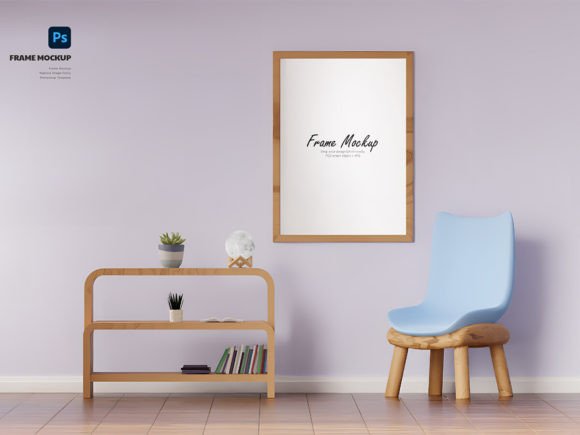
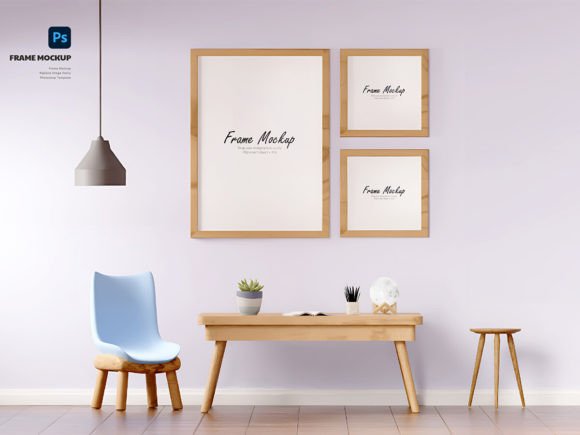
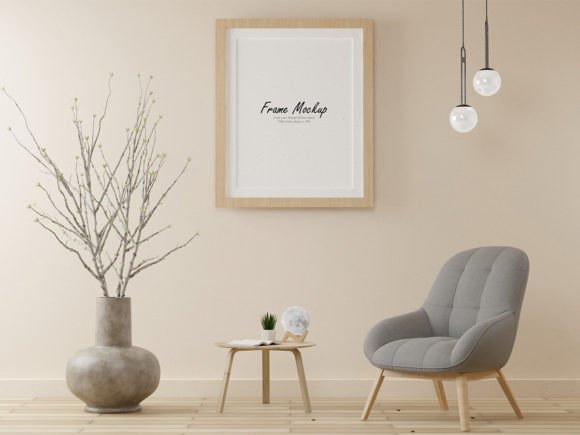
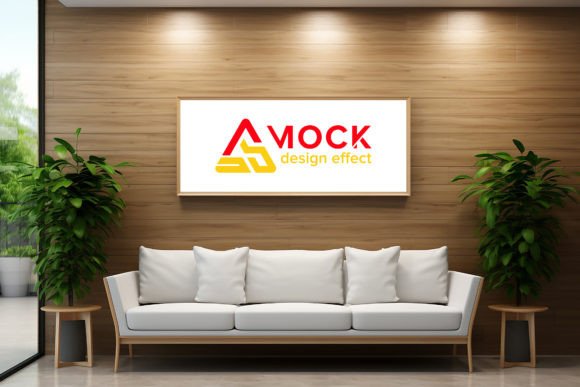
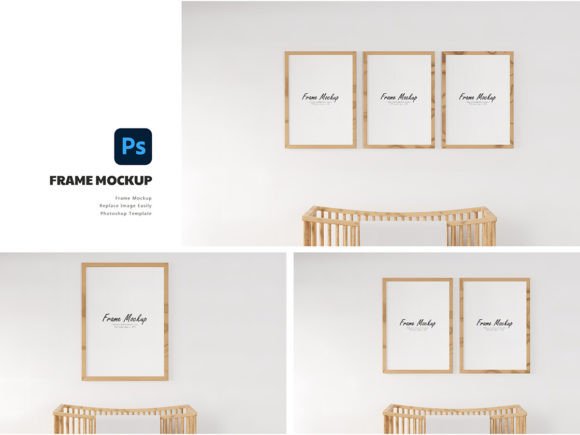
Presenting digital work in a way that feels tangible and professional is often the missing link between a good portfolio and a great one. Whether you are a graphic designer showcasing a new poster, an artist displaying a print, or a marketer pitching a campaign concept, the context in which your work is viewed matters immensely. This is where the Mockup Frame Set becomes an indispensable tool in your creative arsenal. It transforms flat, two-dimensional files into realistic, three-dimensional presentations that clients and audiences can instantly connect with.
The power of this resource lies not just in its aesthetic appeal, but in its technical efficiency. Designed for professionals who value their time, this mockup set allows you to present designs, artwork, or photos in a professional and realistic 3D view without the need for complex photography setups or advanced 3D modeling skills. By leveraging smart-object features, you can effortlessly replace current designs with your own, saving you significant time and effort while maintaining a high standard of visual fidelity.
Why Realistic Presentation Matters
In the digital age, attention spans are short, and first impressions are formed in seconds. A flat JPEG of a design on a white background tells the viewer what the design looks like, but it does not tell them how it feels in the real world. A framed piece of art hanging on a textured wall, with subtle shadows and lighting effects, evokes an emotional response. It suggests permanence, value, and quality.
Using a Mockup Frame Set bridges the gap between concept and reality. For freelancers and small business owners, this distinction can be the deciding factor in winning a client. When a client sees their logo or artwork presented in a lifelike environment, they can better visualize the final product. This reduces ambiguity and builds trust. It shows that you have thought through the application of your design, not just its creation.
Technical Precision Meets Creative Freedom
One of the most frustrating aspects of using low-quality mockups is the lack of control. Poor resolution, unrealistic lighting, or difficult editing processes can ruin an otherwise strong presentation. The Mockup Frame Set addresses these pain points directly by offering a PSD Photoshop format that ensures easy customization and quick design replacement.
Key technical features include:
- High Resolution: At 300 dpi, the images remain crisp and clear, suitable for both web portfolios and high-quality print proofs.
- Smart Object Integration: This feature allows for seamless integration. You simply double-click the smart object layer, paste your design, save, and the mockup updates automatically with correct perspective and lighting.
- Realistic Textures: The frames and backgrounds include subtle imperfections and textures that add authenticity, preventing the "too perfect" look that often signals a fake render.
This combination of high-resolution output and user-friendly editing means that even those with intermediate Photoshop skills can achieve studio-quality results. It democratizes high-end presentation, allowing hobbyists and educators to produce work that rivals agency-level outputs.
Creative Applications Across Industries
The versatility of the Mockup Frame Set extends far beyond traditional graphic design. Its applications are limited only by your imagination. Here is how different creators can adapt this tool for their specific goals:
For Artists and Illustrators
Artists often struggle to show how their work will look in a home or gallery setting. Using this mockup set, you can create virtual exhibitions. Experiment with different frame styles to match the tone of your artwork. A minimalist black frame might suit a modern abstract piece, while a rustic wooden frame could enhance a landscape painting. This helps potential buyers visualize the art in their own spaces, increasing the likelihood of a sale.
For Marketers and Social Media Managers
Content needs to stand out in crowded feeds. A static image of a quote or announcement can be boring. By placing that text inside a stylish frame within a realistic room setting, you create a scroll-stopping visual. This approach works particularly well for Instagram and Pinterest, where aesthetics drive engagement. You can maintain brand consistency by using the same frame style across multiple posts, creating a recognizable visual identity.
For Educators and Publishers
Educators creating online courses or publishers designing book covers can use these mockups to add prestige to their materials. A framed certificate or award can make a digital course feel more substantial. Similarly, a book cover presented as a framed art piece can highlight the artistic merit of the illustration, appealing to collectors and avid readers.
Strategies for Effective Customization
To get the most out of your Mockup Frame Set, consider these practical recommendations for keeping your results clear, effective, and audience-friendly:
- Match the Lighting: Ensure your original design has lighting directions that roughly match the mockup. If the light in the mockup comes from the left, avoid placing highlights on the right side of your design unless you are skilled in manual shading.
- Color Harmony: Choose background colors and frame styles that complement your design rather than compete with it. Neutral tones often work best to let the artwork shine, but bold backgrounds can be effective for high-contrast, modern designs.
- Consistency is Key: If you are presenting a series of works, use the same mockup style throughout. This creates a cohesive narrative and makes your portfolio look organized and professional.
- Contextual Relevance: Think about where your audience will see this. A corporate client might prefer a clean, office-like background, while a lifestyle brand might benefit from a cozy, homey setting. Tailor the environment to the target demographic.
Enhancing Your Workflow
Integrating this tool into your workflow should feel natural, not burdensome. Because the item comes in PSD format with smart objects, you can create templates for recurring projects. For example, if you regularly post weekly art updates, save a version of the mockup with your preferred frame and background. Each week, you only need to swap the central image. This efficiency allows you to focus more on creating content and less on formatting it.
Furthermore, the high DPI ensures that you can crop and zoom into details without losing quality. This is particularly useful for social media carousels, where you might want to show the full framed piece in one slide and a close-up detail in the next. The flexibility of the file format supports this multi-platform approach seamlessly.
Final Thoughts on Visual Storytelling
Ultimately, the Mockup Frame Set is more than just a digital asset; it is a storytelling device. It provides the stage upon which your creativity performs. By presenting your work in a realistic, professional manner, you signal to your audience that you take your craft seriously. You invite them to step into your world and experience your designs as they were meant to be seen.
Whether you are looking to impress a high-paying client, grow your social media following, or simply organize your personal portfolio with greater elegance, this tool offers the practical support you need. It removes the technical barriers to beautiful presentation, allowing your ideas to take center stage. Embrace the ease of smart objects, appreciate the clarity of 300 dpi resolution, and let your work speak for itself in the most compelling way possible.